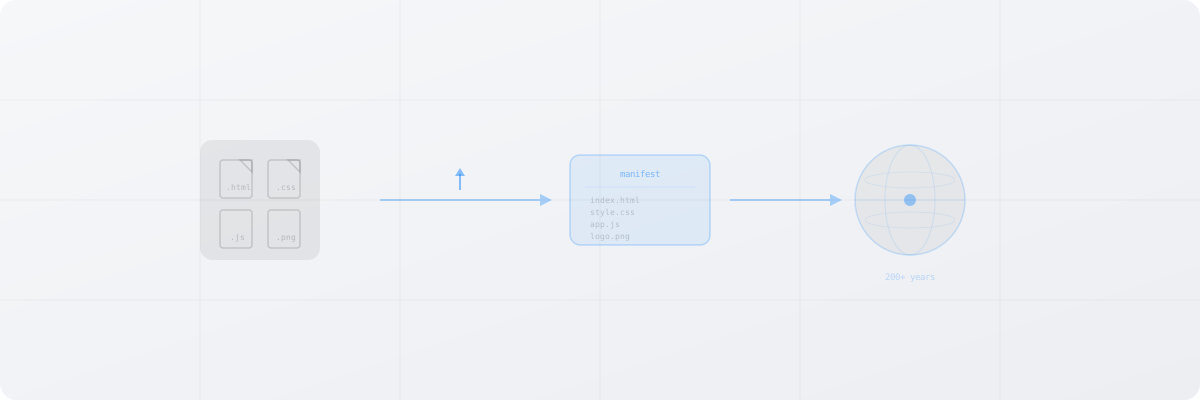
Deploying to the permaweb means your site or application is stored permanently on Arweave. No hosting fees, no server maintenance, no expiration. There are several tools to get your project deployed.
permaweb-deploy (Recommended)
The simplest way to deploy a static site or application to Arweave.
Install
npm install --save-dev permaweb-deploy
Configure
Add a deploy script to your package.json:
{
  "scripts": {
    "deploy": "permaweb-deploy deploy"
  }
}
Deploy
DEPLOY_KEY=$(base64 -i wallet.json) npm run deploy
The DEPLOY_KEY environment variable passes your wallet as a Base64-encoded string. The tool handles creating a path manifest, uploading all files, and returning the transaction ID.
Output
Deployed successfully!
Transaction ID: abc123xyz...
View at: https://arweave.net/abc123xyz...
With ArNS Name
To deploy and attach an ArNS name in one step:
DEPLOY_KEY=$(base64 -i wallet.json) npx permaweb-deploy deploy \
  --arns-name my-app
Your site will be accessible at my-app.ar.io.
ArDrive Turbo
ArDrive's Turbo service provides reliable uploads with instant data availability.
Install
npm install @ardrive/turbo-sdk
Deploy a Directory
import { TurboFactory } from '@ardrive/turbo-sdk';
import { ArweaveSigner } from '@ardrive/turbo-sdk/node';
import fs from 'fs';
import path from 'path';

const jwk = JSON.parse(fs.readFileSync('wallet.json', 'utf-8'));
const signer = new ArweaveSigner(jwk);
const turbo = TurboFactory.authenticated({ signer });

const result = await turbo.uploadFolder({
  folderPath: './dist',
  indexFile: 'index.html',
  dataItemOpts: {
    tags: [
      { name: 'App-Name', value: 'My-App' },
      { name: 'App-Version', value: '1.0.0' },
    ],
  },
});

console.log('Manifest TX:', result.id);
console.log('View at:', `https://arweave.net/${result.id}`);
Why Turbo?
- Files under 105 KiB are free to upload
- Data is available instantly through gateways
- Bundling ensures reliable delivery even during high network activity
- Progress tracking for large uploads
ArDrive CLI
For command-line workflows:
Install
npm install -g ardrive-cli
Create a Drive and Upload
# Create a public drive
FOLDER_ID=$(ardrive create-drive --wallet wallet.json --drive-name "My Site" | jq -r '.created[0].entityId')

# Upload your build folder
ardrive upload-file \
  --wallet wallet.json \
  --parent-folder-id $FOLDER_ID \
  --local-path ./dist \
  --content-type text/html
Path Manifests
When you deploy a multi-file site, the deployment tool creates a path manifest, a special Arweave transaction that maps file paths to their individual transaction IDs.
{
  "manifest": "arweave/paths",
  "version": "0.1.0",
  "index": { "path": "index.html" },
  "paths": {
    "index.html": { "id": "abc123..." },
    "style.css": { "id": "def456..." },
    "app.js": { "id": "ghi789..." },
    "assets/logo.png": { "id": "jkl012..." }
  }
}
The manifest transaction ID becomes the single entry point to your entire site. Gateways read the manifest and serve the correct file for each path.
Pre-Deploy Checklist
Before deploying to the permaweb, verify:
-
Static output: Your app must compile to static files (HTML, CSS, JS, images). No server-side rendering at runtime.
-
Hash routing: If using a SPA framework (React Router, Vue Router), switch to hash-based routing. There's no server to handle fallback routes on the permaweb.
-
Relative paths: Use relative paths for assets (
./style.cssnot/style.css). Some gateway configurations serve your site from a subpath. -
No external API dependencies: If your app calls external APIs, those APIs need to remain available. The app itself is permanent, but its API dependencies are not.
-
Wallet funded: Your Arweave wallet needs sufficient $AR tokens or Turbo credits for the upload. Small sites (under 105 KiB total) can be deployed free via Turbo.
After Deployment
Once deployed, your application is:
- Permanent: Funded for 200+ years via the Arweave endowment
- Immutable: The content cannot be changed or deleted
- Accessible: Available through any Arweave gateway worldwide
- Verifiable: Anyone can verify the content matches the transaction
To update your app, deploy a new version and update your ArNS record to point to the new transaction ID. The previous version remains accessible at its original transaction ID.